Crossword Quest
Words MobileWord
4.77.55K Reviews
- Version
- 2.4.1
- Installs
- 10.00M
- Age Rating
- Everyone
Screenshots
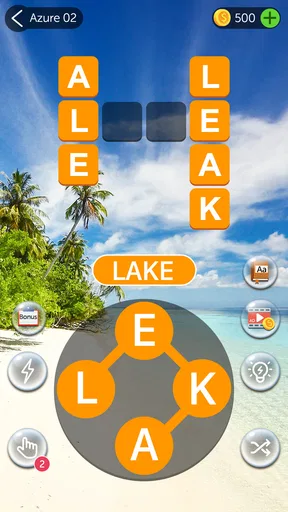
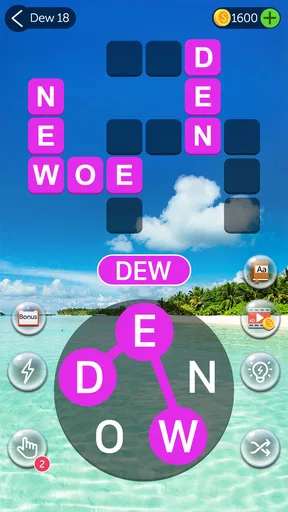
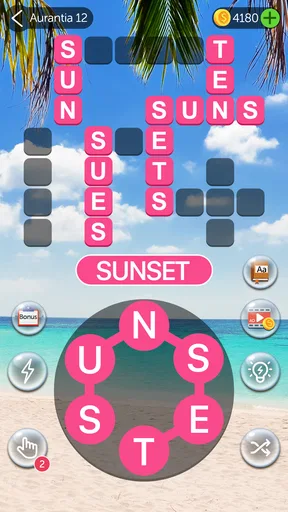
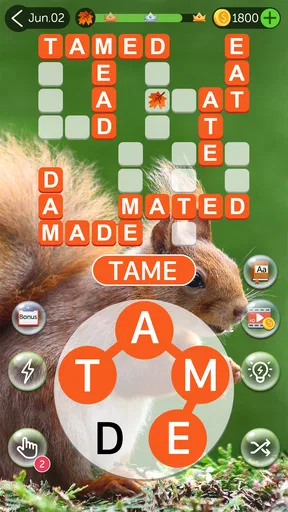
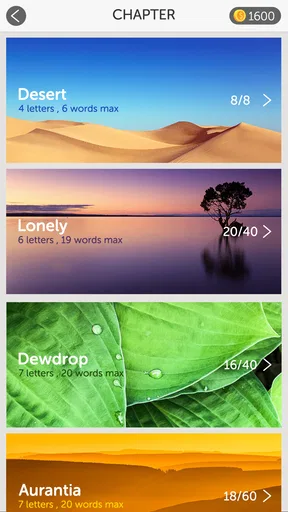
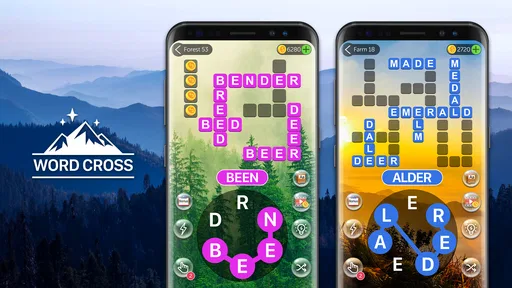
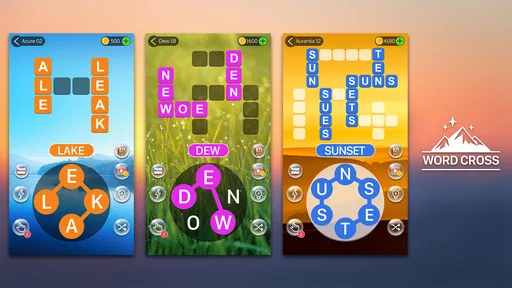
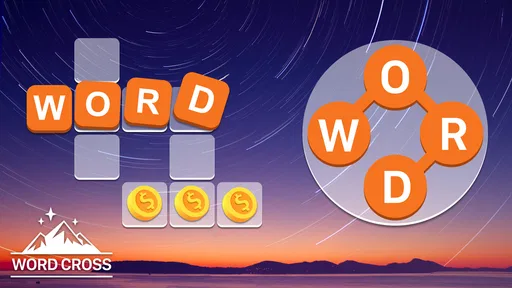
Our Review of Crossword Quest
 Analysis by Appyee
If you're anything like me, you absolutely love a good puzzle game to challenge your brain and pass the time. I recently stumbled upon Crossword Quest, and let me tell you, it’s a real gem! If you’ve got a knack for words and a love for crosswords, this app might just be your next obsession.
When a word puzzle stops feeling easy
The first thing I would keep in mind is that a smooth start does not mean every later puzzle will feel equally simple. A word can seem obvious once you see it, yet be surprisingly hard to spot while scanning a group of letters. When I get stuck, I find it useful to pause and look for shorter words or familiar letter pairings instead of repeatedly swiping the same sequence. That small reset is often more helpful than trying to force an answer.
This style of play suits brief breaks because each attempt has a clear focus: inspect the letters, make a word, and see how it fits the puzzle. It is less suited to someone who wants a long story, elaborate character progression, or a competitive match that depends on quick reactions. I would choose a different kind of game for those needs; here, the appeal is quiet concentration and word discovery.
Getting comfortable before a longer session
Before settling in for a longer run, I recommend checking that the game is working as expected on your device and that you have a comfortable way to play. The verified release details identify the current version as 2.3.9 and the minimum Android requirement as 6.0. If you are installing on Android, checking that your system meets that requirement is a sensible first step. Words Mobile develops the game, which is free to start, with in-app purchases priced from $0.99 to $49.99 per item.
That purchase range is worth noticing if you are trying to keep mobile spending predictable. I would treat hints and other paid options as optional rather than assuming they are necessary to enjoy the puzzles. If a screen appears to offer a purchase, take a moment to read it before confirming; a free game can still include items that cost money. The game is rated Everyone, but that age label does not tell you whether its style will suit every player's taste.
On a practical level, I would also avoid beginning a puzzle when I am distracted or rushing out the door. Word games reward a little attention, and a noisy commute or conversation can make even a manageable board feel harder. A short, focused session is a better test of whether the game’s pace works for you than trying to play while juggling several things at once.
What's the Buzz About Crossword Quest?
Crossword Quest is not your typical crossword puzzle. It takes the classic concept and gives it a fun twist. Imagine an endless stream of word searches, but with a unique blend of creativity and strategy. The game starts off easy, easing you into the rhythm, but don’t be fooled. As you progress, the puzzles become more challenging, pushing your vocabulary skills to the limit.
The app is available on both Android and iOS, so no matter your device, you can dive right into the wordy fun. I found the interface to be pretty sleek and user-friendly. The soft colors and clean design make it easy on the eyes, which is crucial when you're staring at your screen for hours trying to crack that tricky word.
Gameplay and Features
One of the things I love most about Crossword Quest is its simplicity. The game doesn’t bombard you with unnecessary features. Instead, it focuses on what it does best: providing an engaging word puzzle experience.
- Daily Challenges: These are a great way to keep you coming back every day. Not only do they add a bit of spice to your routine, but they also offer rewards that can help you in tougher levels.
- Hints and Power-Ups: Stuck on a word? No worries! The app offers hints and power-ups to help you out. But use them wisely; they’re not unlimited!
- Offline Mode: Got a long flight ahead? Crossword Quest has you covered with its offline mode, ensuring you can play even when you’re not connected to the internet.
The controls are straightforward. All you need to do is swipe your finger across the letters to form the words. It's super intuitive, and even if you're new to mobile gaming, you'll pick it up in no time.
Making the game fit an everyday routine
I get the most from this kind of puzzle when I use it as a small break rather than a commitment to clear a large run in one sitting. For example, if I have a few minutes while waiting for a meal or sitting between errands, I can focus on a puzzle without needing to remember a complicated storyline. When I have more time, I can keep going and accept the extra challenge as the boards become tougher.
A useful habit is to give a difficult board a quick first scan, make the words that stand out, then return to the less obvious letter combinations. This prevents me from spending too long fixating on one possibility. If I decide to use a hint, I save it for a point where I have genuinely run out of ideas, rather than tapping it as soon as I feel uncertain. That way, help remains a choice instead of becoming the default way I play.
Compared with a traditional crossword, this is a more immediate, letter-focused activity: I can start forming words without working through written clues. Compared with a basic word search, the changing challenge and the need to identify combinations give me more to think about than simply spotting a word already listed. If I want clue-solving with a newspaper-style grid, a conventional crossword is still the better fit; if I want a quick vocabulary puzzle on a phone, this approach feels more convenient.
Why You Should Try It
Aside from being a delightful pastime, Crossword Quest is an excellent tool for improving your vocabulary. It's like a brain gym, but way more fun! The app also keeps track of your progress, so you can see how much you’ve improved over time.
Another thing I appreciate is the lack of intrusive ads. Nothing kills the vibe faster than being interrupted by a sudden ad, and thankfully, Crossword Quest handles this well. While there are some ads, they are not overwhelming and don’t disrupt the flow of the game.
And hey, let’s not forget the satisfying feeling of completing a challenging puzzle. There's something incredibly rewarding about finding that last word and seeing the puzzle come together. It’s like a mini victory!
What to do when a session goes off track
If a puzzle seems unresponsive or the game does not behave as I expect, I start with ordinary checks instead of assuming the puzzle itself is broken. I make sure I am touching the letters accurately, give the screen a moment to respond, and close and reopen the game if it appears stuck. If I have just installed or updated it, checking that the installation has finished and that the device has enough room to run normally is a sensible general step.
If the issue appears only when I am away from a connection, I do not assume every part of the experience will work offline just because the core game can be played without internet. I try the puzzle again when connected and see whether the problem changes. For anything involving purchases, I avoid repeating a payment attempt while unsure what happened; checking the device’s purchase history or the relevant app store support route is safer than tapping again.
Sometimes the obstacle is not a technical one. A tired mind, glare, interruptions, or trying to play one-handed while walking can make letter patterns harder to read and swipes less accurate. I get better results by stopping for a moment, adjusting how I hold the phone, and returning when I can give the board my attention. That is a more useful fix than treating every missed word as a fault in the game.
The Social Element
For those who enjoy a bit of competition, the app offers leaderboards where you can compete with friends or players worldwide. It’s a nice touch that adds a social element to the game, and who doesn’t love a little friendly competition?
Moreover, you can share your achievements and invite friends to join the fun. It's always more enjoyable to tackle challenges with a buddy, and you might even learn a few new words from each other.
Who will enjoy it, and who may want something else
For a word-game fan who likes quick rounds, a gradual rise in difficulty, and the satisfaction of finding words from letters, this is an easy one to try. The game has an average rating of 4.7 from around 139,000 ratings, and it has been installed over 10 million times. Those figures suggest a broad audience, but they cannot decide whether you personally prefer this format. I would use the free version to see whether the puzzle rhythm suits me before considering any optional spending.
It is less compelling if you mainly want carefully written clues, a large set of themed crossword grids, or a deep social system. The leaderboard and sharing options may add interest, but I would not pick it solely as a way to coordinate regular play with friends. Someone who finds repeated word-forming puzzles monotonous may also prefer a crossword app with clue-based solving or a word game built around a different kind of challenge.
For me, the strongest everyday use is a calm, low-setup break: I can open a puzzle while waiting for an appointment, make a few attempts, and stop when I need to move on. The trade-off is that easy access can make it tempting to continue longer than planned, especially when a nearly solved board keeps drawing my attention. Setting a natural stopping point before I start helps keep it a pleasant break rather than an unplanned time sink.
Final Thoughts
All in all, Crossword Quest is a must-try for word puzzle enthusiasts. It’s engaging, educational, and most importantly, fun. Whether you’re looking to pass the time on your commute or hone your word skills, this app is a fantastic choice.
Download it today from the App Store or Google Play and see for yourself why people are raving about it. Trust me, you won’t be disappointed!
Privacy and Permissions
See what permissions an app requests and how it handles your data.
- Wi-Fi connection information
- view Wi-Fi connections
- Other
- view network connections, full network access, control vibration, prevent device from sleeping, Google Play license check
Verdict
Strengths of Crossword Quest
- User-friendly interface enhances gameplay.
- Wide variety of puzzles keeps it engaging.
- Offline mode available for uninterrupted play.
- Daily challenges encourage regular use.
- Hints system helps when you're stuck.
Limitations of Crossword Quest
- Ad frequency can be disruptive.
- Some puzzles may feel repetitive.
- In-app purchases can be pricey.
- Limited accessibility features available.
- Occasional lag on older devices.
Other Releases by Words Mobile
View All
Ball Sort Game - Color Puzzle
Puzzle4.9

Traffic Master - Jam Buster
Puzzle4.8
Similar Picks in This Category
View All
Word Search - Word Puzzle Game
Bluetile4.8

Word Search Quest - Puzzles
Blackout Lab4.8

CodyCross: Crossword Puzzles
Fanatee, Inc.4.7

Words of Wonders: Crossword
Fugo Games4.9

Wordscapes: Word puzzle game
PeopleFun4.7

Word Search Explorer
PlaySimple Games4.9
Frequently Asked Questions
What is Crossword Quest and how does it work?
Crossword Quest is a word puzzle game available on Android and iOS platforms. It challenges players to find hidden words from a set of letters, filling in a crossword-style grid. The game is designed to improve vocabulary and cognitive skills by providing various levels of difficulty. Players can enjoy the game offline, making it a convenient option for on-the-go entertainment.
Is Crossword Quest free to play?
Yes, Crossword Quest is free to download and play. However, it offers in-app purchases that can enhance the gaming experience. These purchases might include hints or the removal of ads. While the game is enjoyable without spending money, some players may choose to make purchases to progress faster or to enjoy an ad-free experience.
Can I play Crossword Quest offline?
Yes, you can play Crossword Quest offline. This feature makes it ideal for users who are on the move or in areas with limited internet access. However, certain features, such as syncing progress across devices or accessing online leaderboards, require an internet connection. Playing offline won’t affect the core gameplay experience.
How does Crossword Quest handle difficulty levels?
Crossword Quest caters to a wide range of players by offering various difficulty levels. Beginners can start with simpler puzzles, while more experienced players can challenge themselves with harder ones. The game gradually increases in complexity, ensuring that players are constantly engaged and motivated to improve their skills.
Are there any educational benefits to playing Crossword Quest?
Absolutely! Crossword Quest is designed to enhance vocabulary and improve cognitive skills. As players search for words and attempt to fill the grid, they engage in problem-solving and critical thinking. The game is suitable for all ages and can be an effective tool for learning new words and enhancing language proficiency.
Play our best games!


